 -60%
AI Agents
AI Agent Instruction Pack: 20 Ready System Prompts for Business Agents
20 tested agent instructions (system prompts) for marketing, sales, support and operations, plus the 7-block …
$4.99 $10.99
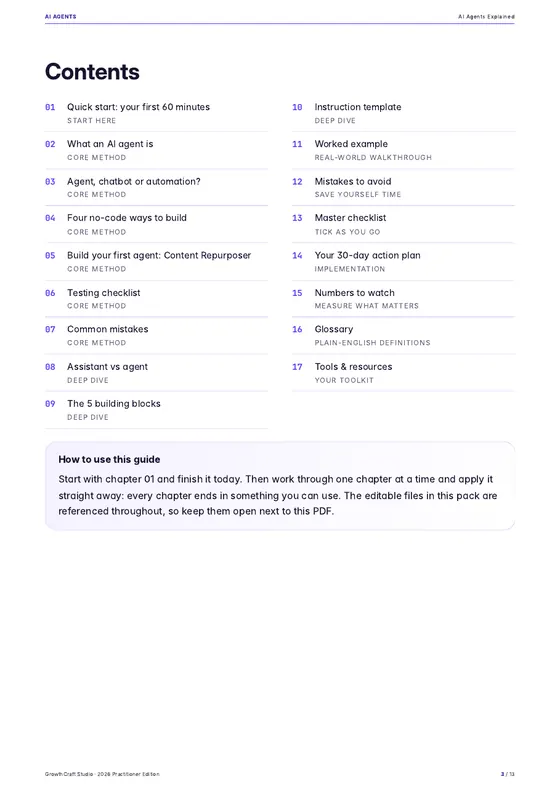
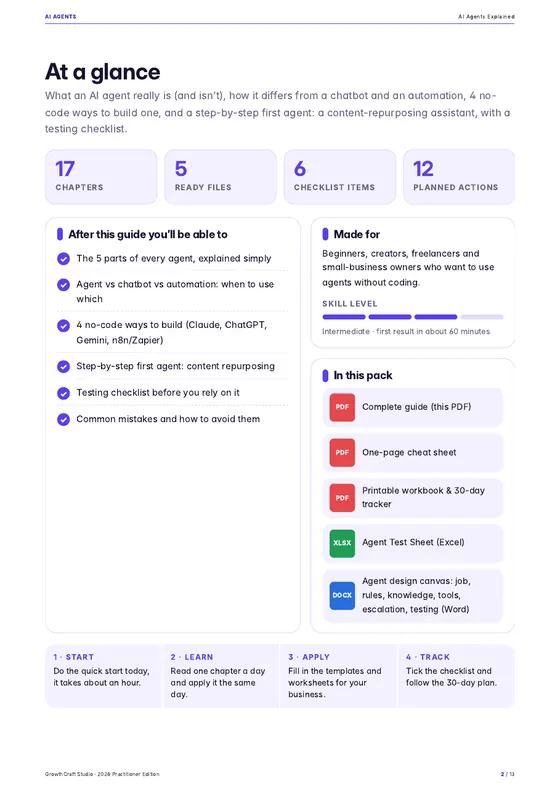
Understand agents in plain English and build a working one in an afternoon.
“AI agent” is the most overused phrase of the year. This guide cuts through it: you’ll understand the five parts every agent has, choose the right no-code tool, and build a useful agent for your own work today.
Pay securely by UPI, card or netbanking. Instant access, no subscription.
Follow the quick start, print the cheat sheet and fill in your workbook.
Edit the ready-made files for your business or your clients.
Follow the 30-day plan and compare your numbers in the workbook.
Beginners, creators, freelancers and small-business owners who want to use agents without coding.
Right after payment they appear in your account under My products. Use the guide on the website or download every file. Access is lifetime.
Yes. Excel, Word and PowerPoint files are fully editable, and they also open in Google Sheets, Docs and Slides. PowerPoint templates can be imported into Canva.
Yes. Every pack starts with a quick start you can finish in about an hour, and the guide explains every term in a plain-English glossary.
Yes. Updates are added to your account for free, forever.
Yes, for your own business and your clients. Please don’t resell or share the files themselves.
-60%20 tested agent instructions (system prompts) for marketing, sales, support and operations, plus the 7-block …
 -59%
How Agent Skills (SKILL.md folders) and MCP (Model Context Protocol) work, how to install free skills from Gi…
 -58%
Plan, prepare and launch a support agent for your website chat or WhatsApp: knowledge-base template, escalati…